The essentials
- The employer’s upload instructions come first.
- Check text, reading order, and any autofilled application fields.
- File readability and job fit are separate checks.
An ATS-friendly resume format should make your information easy to follow in the file and in the application form. You cannot certify every employer's parser from home, but you can check selectable text, reading order, section labels, and the data the portal fills in.
This checklist is for an industry resume. It uses Lucia's fictional marketing resume to show what to inspect. The example is a demonstration, and Ralue's internal review is not the result of an external employer ATS.
First check the application requirements
Read the accepted formats, file size, and any instructions in the posting. If a specific format is required, follow it before applying general advice. Greenhouse, for example, documents PDF and DOCX among its accepted candidate file types; acceptance still does not guarantee perfect extraction.
There is no reason to convert a readable Word document to PDF if the employer has specifically asked for DOCX. Similarly, an accepted PDF should be checked as the final exported file. The PDF versus Word guide explains that decision without treating either extension as universally correct.
Check whether the file contains readable text
Open the downloaded file and try selecting a sentence in each section. If the entire page behaves like one picture, you may have an image-based document rather than selectable text.
A scan can look identical to a normal document on screen. That visual similarity does not show how its contents will be extracted. Some systems have additional processing capabilities, but you should not rely on them when the process expects an ordinary readable resume.
Use a file produced from the document's text where the employer accepts it. If you have only a scan, recover an editable source or reconstruct the information accurately before choosing another extension.
Copy the text and review the order
Paste the exported text into a plain text editor. Read it from the beginning without using the layout as a guide. Can you tell which dates belong to which role? Does the skills list interrupt a job description? Is the contact information present?
In Lucia's example, the Content Coordinator role should stay with Delta Studio and the 2023–2026 period. Her volunteer communications experience is a separate entry. If the copied text moves one period beside the other role, inspect the layout that produced it.
This copy-and-paste check is a practical diagnostic, not a simulation of every ATS. A portal can still extract fields differently. Use the application form as the next opportunity to inspect what was actually recognised.
Review headings, dates, and contact information
Use section labels that identify the material: Experience, Education, Skills, and any other relevant section. You do not need unusual headings to make the document personal; the evidence does that work.
Keep date formatting consistent and distinguish completed work from current work. Check the email address and links. Avoid leaving essential information only in a decorative image, because copying the surrounding text will not necessarily recover it.
Area | Practical check | What to do if it fails |
|---|---|---|
Contact | Email and relevant links are present and correct. | Correct the source and exported file. |
Experience | Roles, employers, and dates remain associated. | Simplify the layout or correct the portal fields. |
Education | Qualification and institution are recognizable. | Clarify the wording without inventing equivalence. |
Skills | Terms describe abilities you actually have. | Remove unsupported items and add evidence. |
Sections | The reader can identify what each block contains. | Use clearer headings and spacing. |
Assess columns and tables using the actual file
A single-column structure can be a straightforward option, but the number of columns alone does not prove a failure. Check the reading order after export.
Likewise, a simple table is not the same as a complex layout with merged cells and floating text boxes. If a design causes the information to come out in the wrong order, change the part that caused the problem. If the order remains clear, do not invent an error just because a checker uses a broad warning.
A readable document still needs enough space and hierarchy for a person to use it. Making the font tiny to fit every detail can undermine that purpose. Choose which evidence matters instead of forcing the whole career history into one crowded page.
Use Ralue's format review as a starting point
The editor includes a review panel that can highlight aspects of the document. Review an observation against the actual file rather than treating a badge or score as a hiring decision.
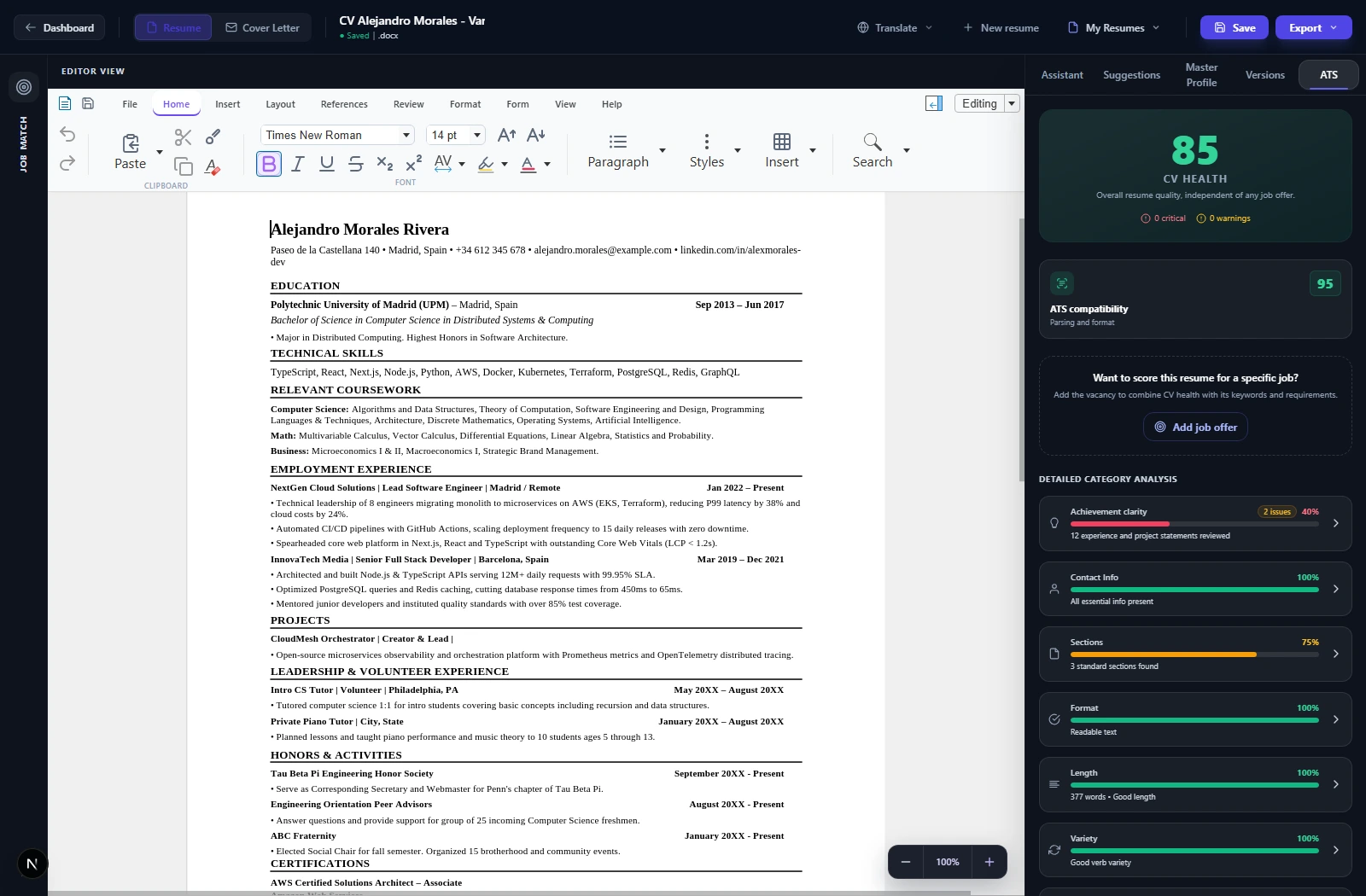
This screenshot shows a fictional resume in a real account. It is an illustration of the product's review panel, not a measured result from Workday, Greenhouse, or another employer system. The relevant question is what the observation tells you to inspect.
If you change the document, save it and repeat the check on the downloaded file. An editor preview and a particular export are separate objects; the latter is what you will send.
Check the application fields before submitting
Some portals populate the employment history and contact fields after upload. Review them individually. A correct-looking PDF does not demonstrate that every field has the correct value.
Check start and end dates, job titles, employer names, and education details. Correct fields where the portal permits it. If a mandatory field does not fit your history, follow the process's instructions instead of inventing an entry to satisfy it.
When a portal rejects the file, first look at the stated format and size requirements. Changing content keywords will not solve an extension or size error. Deal with the upload problem before evaluating job relevance.
Keep format review separate from content matching
Lucia's fictional posting asks for editorial scheduling, design coordination, and campaign reporting. Her resume needs clear evidence for those tasks. That is a content decision, even when the file is already readable.
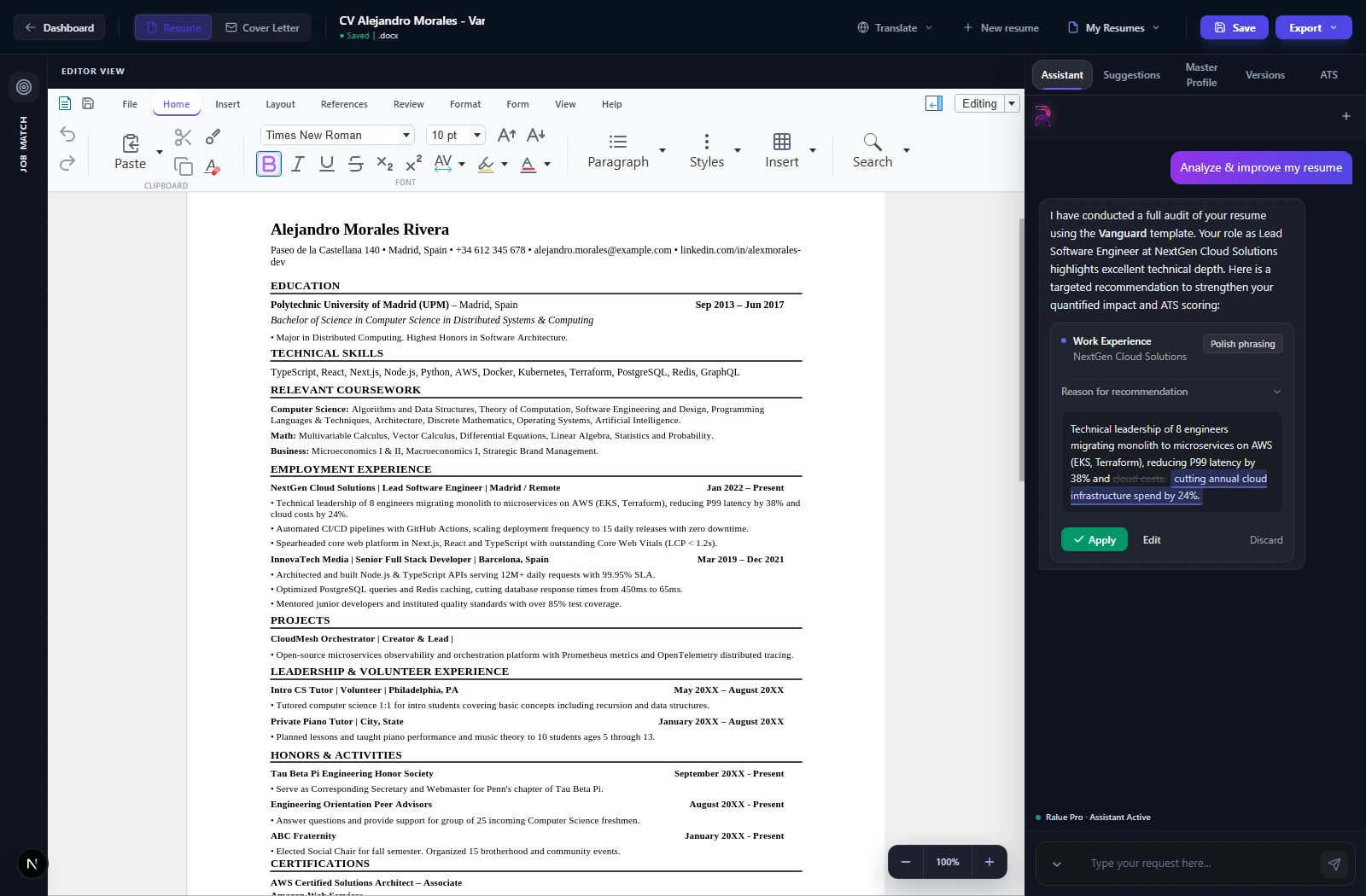
The screenshot shows the input step before analysis. Job Match can compare resume content with a posting, but its alignment measure is not an external ATS parsing certificate. Use the tailoring guide to make relevant evidence visible without adding skills you do not have.
A final check you can repeat
Confirm the requested format, select and copy the text, review the reading order, check contact details and dates, then inspect the portal fields. Keep a recognizable copy of the submitted file.
When you find a specific issue, change one thing and check again. You will learn more from observing whether that issue is resolved than from collecting several scores that may measure different things.
Frequently asked questions
Can this checklist guarantee that my resume passes an ATS?
No. It helps identify avoidable file and presentation problems. Employers have different tools, settings, requirements, and selection decisions. Readability and relevant evidence are useful checks; neither guarantees an interview.
Should I use a US resume or a UK CV format?
Follow the application and market. For most US industry roles, employers request a resume; many UK employers call the corresponding document a CV. An academic CV can have a different purpose and level of detail. Do not infer the required document solely from the fact that the posting is in English.
Is a high Job Match score enough?
It does not replace checking the facts, the actual exported file, or the application fields. Read what supports the score and review any suggestions. A requirement you do not meet remains a gap even if the rest of the wording is closely aligned.
Try it yourself
Your pre-submission check
Check off what you have verified in your file. This checklist does not analyze uploads or certify ATS results.
0/5 checks completed
Sources and further reading
Personal examples in this guide are fictional. Employers make their own hiring decisions; no template or score guarantees an interview.