The essentials
- The employer’s upload instructions come first.
- Check text, reading order, and any autofilled application fields.
- File readability and job fit are separate checks.
Short answer: follow the employer’s instructions first. If a job posting accepts either format, a clean DOCX file and a text-based PDF are both reasonable choices. The more useful question is whether the application software can read your name, work history, dates, and skills accurately.
Greenhouse Recruiting, for example, accepts both .pdf and .docx candidate uploads. Its support material also notes that certain layouts or embedded images can interfere with resume parsing. A file being accepted does not necessarily mean every detail was extracted perfectly.
What does an ATS actually do?
An applicant tracking system (ATS) helps employers organize applications. Some systems can parse a resume into fields such as work history and education; employers may also use filters, questionnaires, searches, or human review. Different companies configure their processes differently.
There are three separate issues to consider:
- File acceptance: Can you upload the document?
- Parsing: Can the system extract its text and identify the right sections?
- Relevance: Does your experience meet the position's stated requirements?
A readable file helps with the second issue. It cannot guarantee the third or promise an interview.
PDF vs. DOCX: Which one should you use?
Format | Advantages | What to check |
|---|---|---|
Text-based PDF | Consistent presentation across devices | Text selection, reading order and special characters |
Word (.docx) | Editable; broadly supported by application software | Formatting changes, tables and text boxes |
Image-only PDF or scan | May look visually intact | May be difficult to parse without image recognition |
Choose PDF when...
The posting allows it, your editor exports actual text, and the document remains readable when you copy it into a plain-text editor.
Choose DOCX when...
The posting asks for Word, an employer requests an editable file, or you cannot create a reliable text-based PDF.
Avoid assuming that every PDF behaves the same
A searchable PDF generated from a document editor is not the same as a photo of your resume. Text embedded in a picture cannot be selected in the same way as regular document text.
Text-based PDFs and scanned PDFs may look similar while behaving differently when copied.
A quick readability check before applying
This is a simple diagnostic, not an official ATS certification:
- Open the final version of your resume.
- Select your name, the most recent role, and its dates.
- Copy the text into Notepad or another plain-text editor.
- Confirm that dates, section headings, and bullet points are in a sensible order.
- Look for missing words, merged columns, or broken symbols.
If important details disappear, revise the layout or export the file again. When an application portal autofills fields, review them carefully before submitting.
Format your resume for humans and software
- Put your contact details in normal selectable text.
- Use familiar headings such as Experience, Education, and Skills.
- Keep dates consistent and readable.
- Consider a single-column layout to simplify the reading order.
- Do not put essential qualifications exclusively inside images or decorative graphics.
- Use relevant job-description terminology only when it accurately reflects your experience.
A two-column layout does not automatically fail; the final file and parser behavior matter. Keeping the reading order simple is a practical way to reduce uncertainty.
Your resume still needs to answer the job description
Suppose a listing asks for customer support and issue resolution.
Too vague:
Assisted customers and performed other duties.
More useful (fictional example):
Responded to customer questions, documented order issues, and coordinated follow-ups with the store supervisor.
The second example is clearer without inventing metrics. Make sure your application speaks directly to relevant work you actually performed.
Always follow the employer’s instructions and verify any autofilled application fields.
Final checklist
- ☐ I followed the employer's requested file format.
- ☐ My resume is searchable/selectable text, not just an image.
- ☐ Contact details, titles, and dates remain readable when copied.
- ☐ All claimed skills are true.
- ☐ The resume emphasizes the experience most relevant to this opening.
- ☐ I reviewed the information prefilled by the application portal.
Want to start from a simpler layout? Create or revise your resume.
How to put this review into practice in Ralue
You can browse and preview Ralue templates before creating an account. Choose a layout you can review easily, then use the editor to work on your content. PDF and DOCX exports are available; save your changes and check the downloaded file.
Job Match compares resume content with a job posting. It does not certify how every ATS will parse your document. Perform the copy-and-paste check on your exported file and review the application portal’s autofilled fields.
Make the decision using the actual exported resume
The demonstration uses Lucia's simple resume with contact details, a summary, experience, education, and tools. It has no image containing essential text or complex table layout. This gives us a concrete file to inspect without implying universal ATS certification.
If the portal accepts both formats, consider the process as well as the extension. It may request an editable document, offer a preview, or ask you to enter your work history separately. Do not assume that every employer has the same preference.
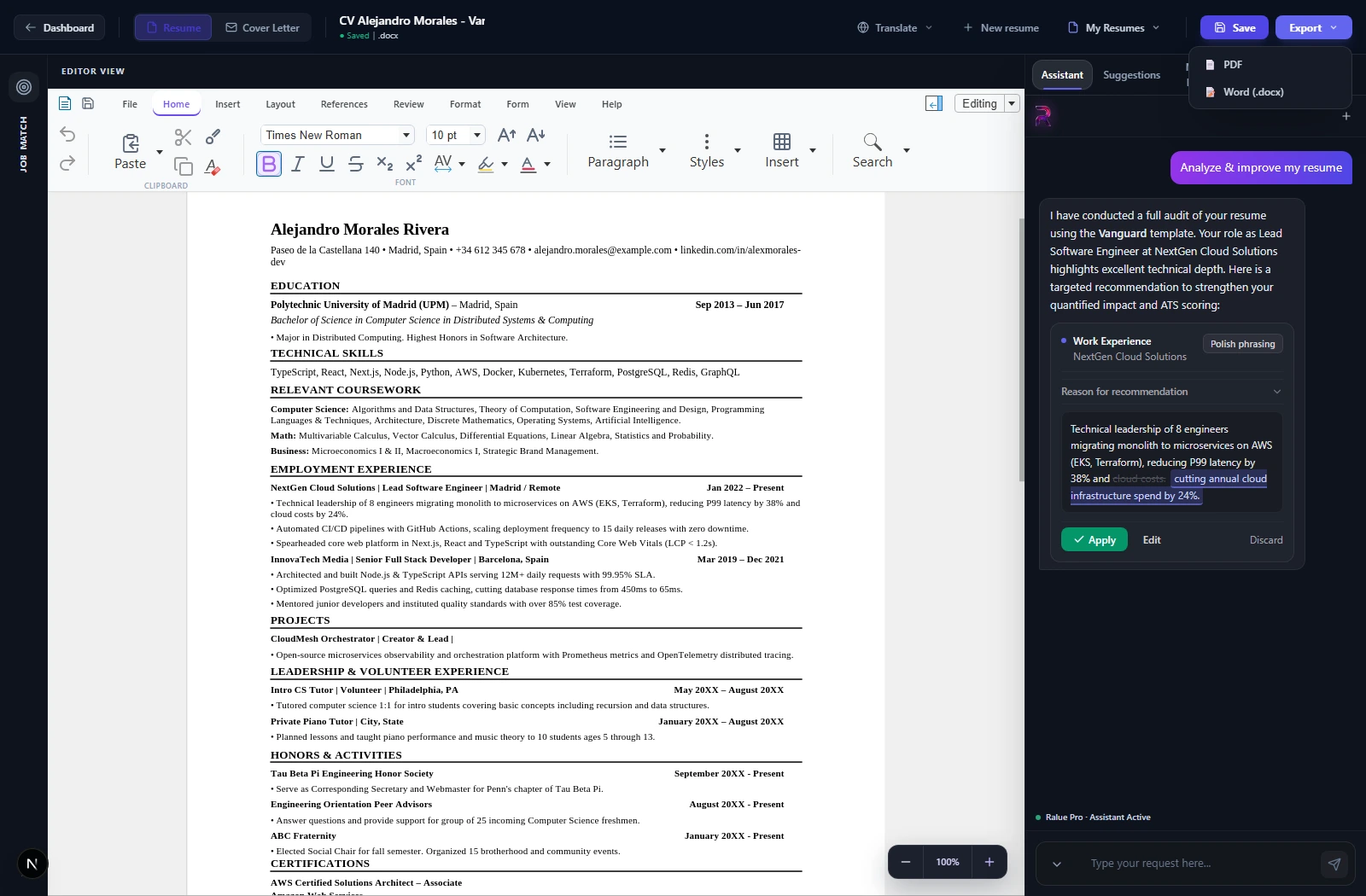
Save before exporting, then open the downloaded file outside the editor. Check contact details, roles, and dates. In the PDF, inspect layout and selectable text. In Word, check for drafting comments, pending changes, or awkward page breaks.
You can compare accepted exports from the same source content. If text disappears from a PDF, investigate that issue. If a DOCX retains a drafting comment, address that different issue. Adding keywords would not solve either problem.
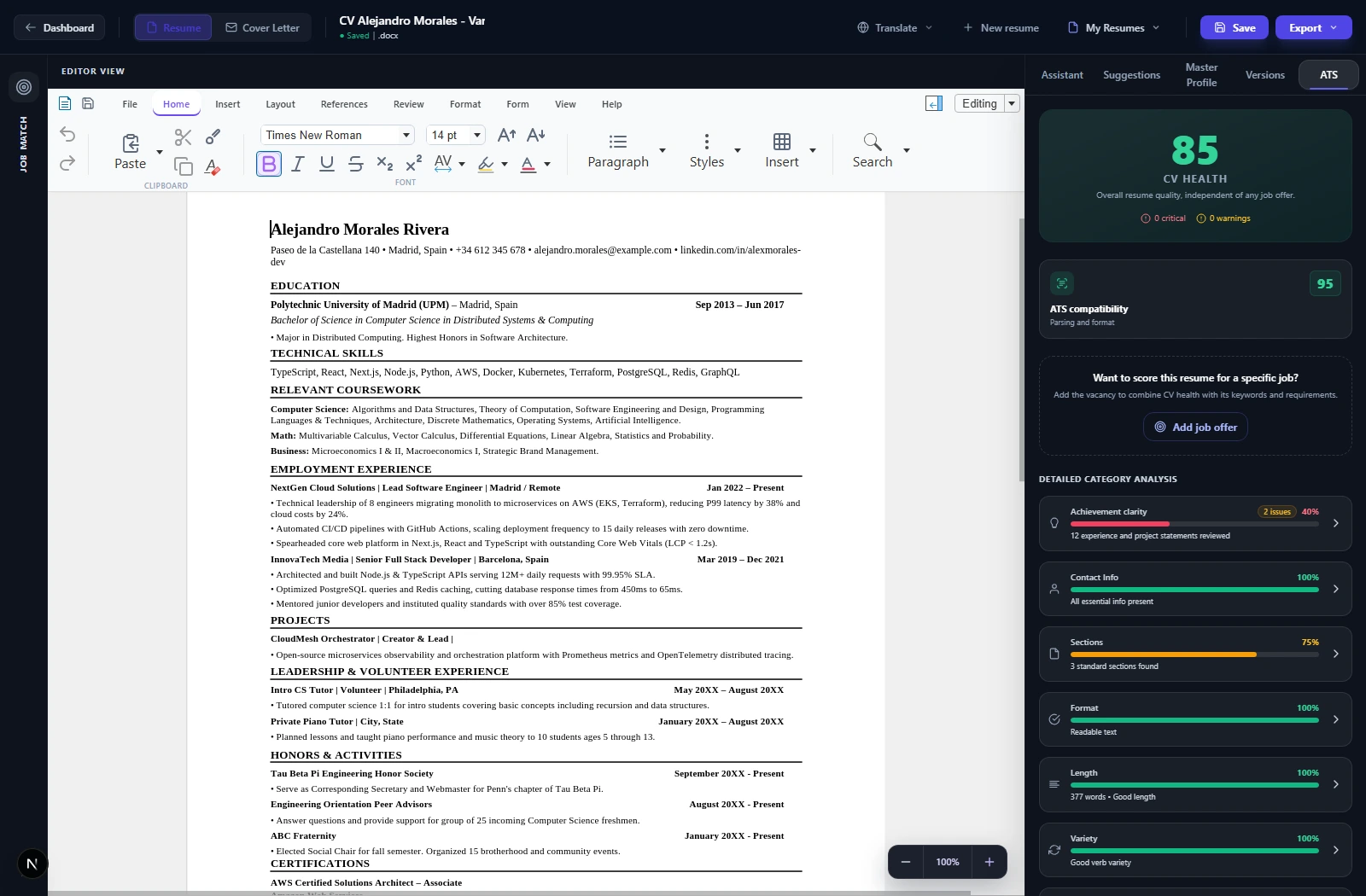
The panel helps identify areas to inspect. The final check belongs to the exported file and any fields populated by the application portal. The screenshot contains fictional data and does not show an employer ATS result.
Check the filename and application version before submitting. Choosing an accepted format does not compensate for an old email address, an incorrect employment date, or a cover letter naming another company. Retain a recognizable copy of what you sent.
For US industry jobs, the posting commonly requests a resume. UK employers may call the equivalent document a CV. Follow their terminology and file instructions, and treat academic CV requirements separately rather than assuming that every English application needs the same document.
FAQ
Can an ATS read PDF resumes?
Yes, some systems can. Greenhouse Recruiting explicitly lists PDFs among supported candidate files. Accuracy may still vary with the document and system.
Is a Word file always safer?
Not always. Follow the job posting first; if both types are allowed, prioritize readable formatting over assuming one extension is universally best.
Will an ATS automatically reject a resume with two columns?
There is no universal rule. Complex layouts can introduce parsing issues, so checking the extracted reading order is more useful than relying on a blanket claim.
Does an ATS-friendly resume guarantee an interview?
No. Formatting can make your information easier to process, but hiring decisions also depend on the role, qualifications, employer requirements, and competition.
Try it yourself
Your pre-submission check
Check off what you have verified in your file. This checklist does not analyze uploads or certify ATS results.
0/5 checks completed
Sources and further reading
Personal examples in this guide are fictional. Employers make their own hiring decisions; no template or score guarantees an interview.