The essentials
- Match each requirement to work you can actually demonstrate.
- Select and reorder evidence while keeping your history accurate.
- Review suggested changes and the exported file before applying.
Tailoring your resume means choosing the most relevant proof from your actual experience and presenting it in the language of the job posting. It does not mean inserting every term from an advertisement or changing your work history. You can build from one master resume and adjust a few important sections for each role.
Imagine you have experience handling customer inquiries and keeping spreadsheets current. The same history may support a customer support role or an operations coordinator role—but each employer wants different evidence. A targeted resume makes that difference visible.
Start with a real job description
Read the posting once to understand the role. Read it again and mark three kinds of information:
- Requirements: skills or qualifications the employer says you must have.
- Responsibilities: activities you would perform, such as answering tickets or maintaining reports.
- Nice-to-haves: additional tools, industries, or training that could strengthen your application.
For this guide, use a fictional operations assistant posting: “Maintain customer records in Excel, coordinate order updates with the support team, prepare weekly summaries, and communicate clearly with vendors.”
Don't add “vendor management” just because the role mentions vendors if you've never dealt with them. Instead, find the genuine overlap between the posting and your background.
Make a three-column match sheet
What the role needs | What you've actually done | Resume decision |
|---|---|---|
Excel records | Updated a weekly volunteer attendance tracker | Include under Projects if relevant |
Order coordination | Scheduled deliveries for a student event | Explain the coordination task |
Vendor communication | No direct experience | Don't claim it; consider related communication examples |
Weekly summaries | Prepared monthly activity reports | Show the reporting experience honestly |
This table is useful even when your experience comes from college projects, community work, or part-time jobs. Hiring managers need to understand the evidence—not simply see matching words.
Rewrite the professional summary
Before: “Motivated, hard-working graduate with strong people skills seeking a challenging position.”
After: “Business graduate with experience maintaining Excel trackers, organizing event deliveries, and summarizing project updates. Seeking an entry-level operations role that combines accurate records and team coordination.”
The revised version identifies the direction, relevant tasks, and level. It does not invent a title or suggest paid experience where there was none.
Improve experience bullets: action, context, evidence
A strong bullet explains an action in enough detail that the reader can picture your work.
Before
- Responsible for volunteer schedules.
- Used Microsoft Excel.
- Worked with a team.
After
- Coordinated shifts for eight volunteers during a weekend campus event.
- Maintained an Excel attendance sheet and checked changes with team leads.
- Sent concise end-of-day updates so organizers could plan the next shift.
These achievements are fictional examples. Only use numbers that are true for you. You don't need percentages in every bullet. Concrete activities are more credible than made-up growth figures.
Reorder, don't rewrite, your entire history
Move the most relevant evidence upward when the layout allows. For an operations job, you might put a reporting project above an unrelated campus award. For a support role, you might emphasize complaint resolution and communication instead. Keep dates, organization names, job titles, and employment details consistent across versions.
A master resume can include everything. A tailored resume is a shorter selection for one application:
Master resume | Operations application | Support application |
|---|---|---|
Full experience and projects | Excel, records, coordination | Customer inquiries, follow-up, problem-solving |
If you need inspiration for role-specific formatting and keywords, explore our software engineer resume template or browse the complete resume templates catalog.
Use keywords naturally and check the file
Relevant terms from the posting can help readers recognize your fit. If the employer asks for Excel and you've used it, name it instead of saying only “office applications.” Mention the task you performed as well. Avoid hidden keyword blocks and repeated phrases.
Then follow the posting's upload instructions. Many systems accept a text-based PDF or DOCX, but parsing behavior varies. Check that text remains selectable, section headings are clear, and contact details survive conversion. See PDF vs. Word for ATS resumes.
A ten-minute tailoring routine
- Minutes 1–3: mark required skills and responsibilities.
- Minutes 4–5: identify your strongest two or three matching examples.
- Minutes 6–7: revise the summary and first relevant bullets.
- Minute 8: update the skills section if you have genuine qualifications to add.
- Minutes 9–10: proofread and verify the exported file and company name.
This is a suggested routine, not a rule. Complex applications may deserve more time; the point is to work from an accurate base rather than start over.
How to put this review into practice in Ralue
In the Ralue editor, Job Match compares your document with the text of a job posting. Use the analysis to identify differences, then review the assistant’s proposals before applying changes. Its score is an internal measure of alignment with the posting, not the result of a specific employer’s ATS or a prediction of an interview.
Work from your actual experience and keep a copy before tailoring. Review the result in the editor, save it, and export PDF or DOCX. AI features are subject to your account’s usage limits.
A complete Ralue example: compare the posting with your existing evidence
The demonstration account contains Lucia's content coordinator role at Delta Studio and a separate communications volunteering entry. Her fictional resume covers editorial calendars, Canva posts, design reviews, and Excel campaign reporting. Those are the case facts; a rewrite should not turn them into department leadership or an invented revenue result.
The example posting asks for those activities. Enter its text in the comparison panel to begin the review. Read the requirements first. If another posting requires a credential, location, or tool you do not have, record that gap rather than trying to solve it through wording alone.
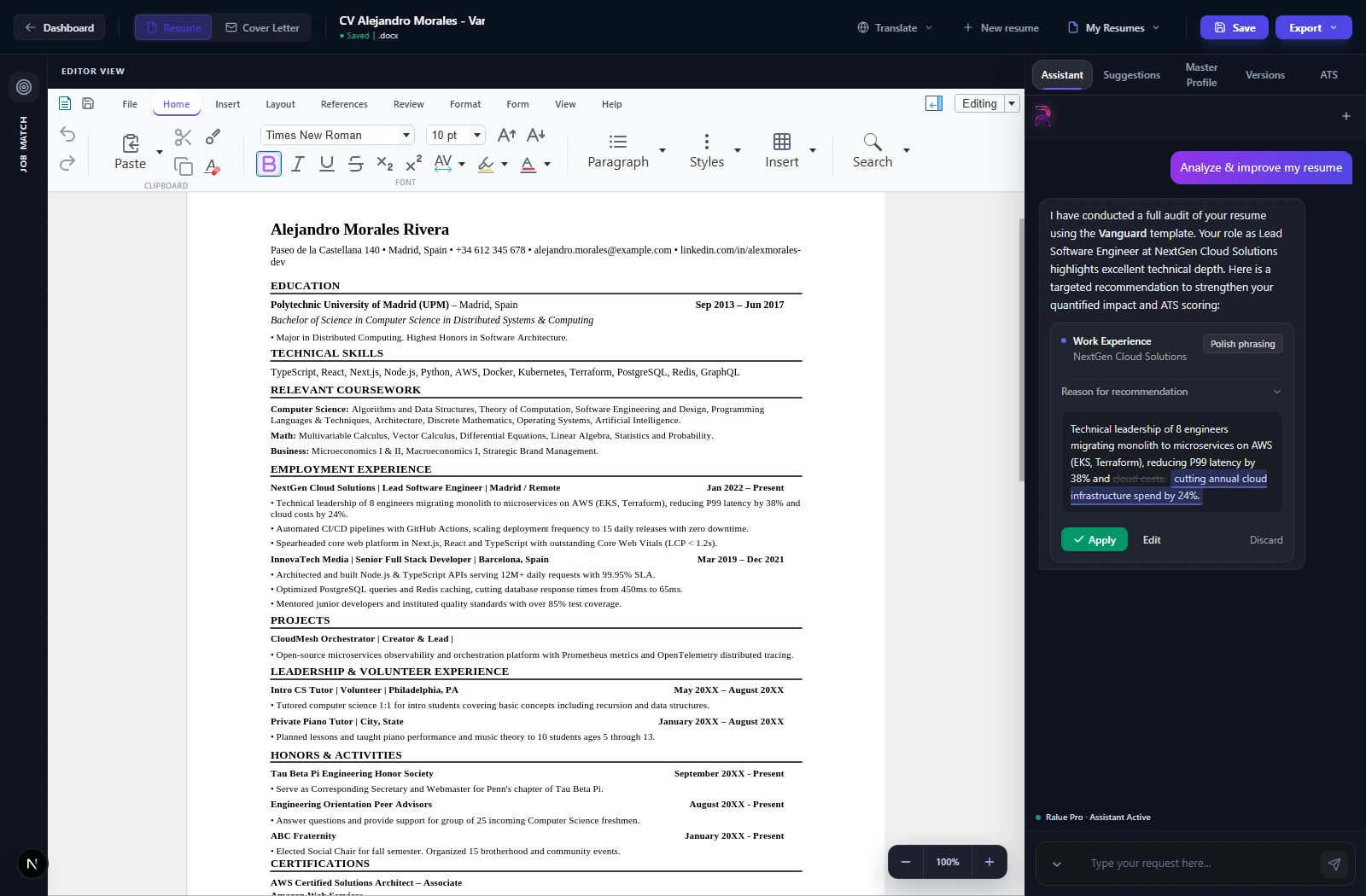
A useful first edit would make the calendar and design coordination easier to find in the summary and recent role. A second would explain the purpose of the Excel reports. Simply adding “results-driven” would give the reader less evidence.
When asking for a drafting proposal, specify its boundaries: “Make the connection between scheduling, review, and campaign reporting clearer. Keep the job titles, dates, and tools unchanged. Do not add sales outcomes.” Read the proposed wording as critically as you would another person's draft. Does it still describe your own contribution?
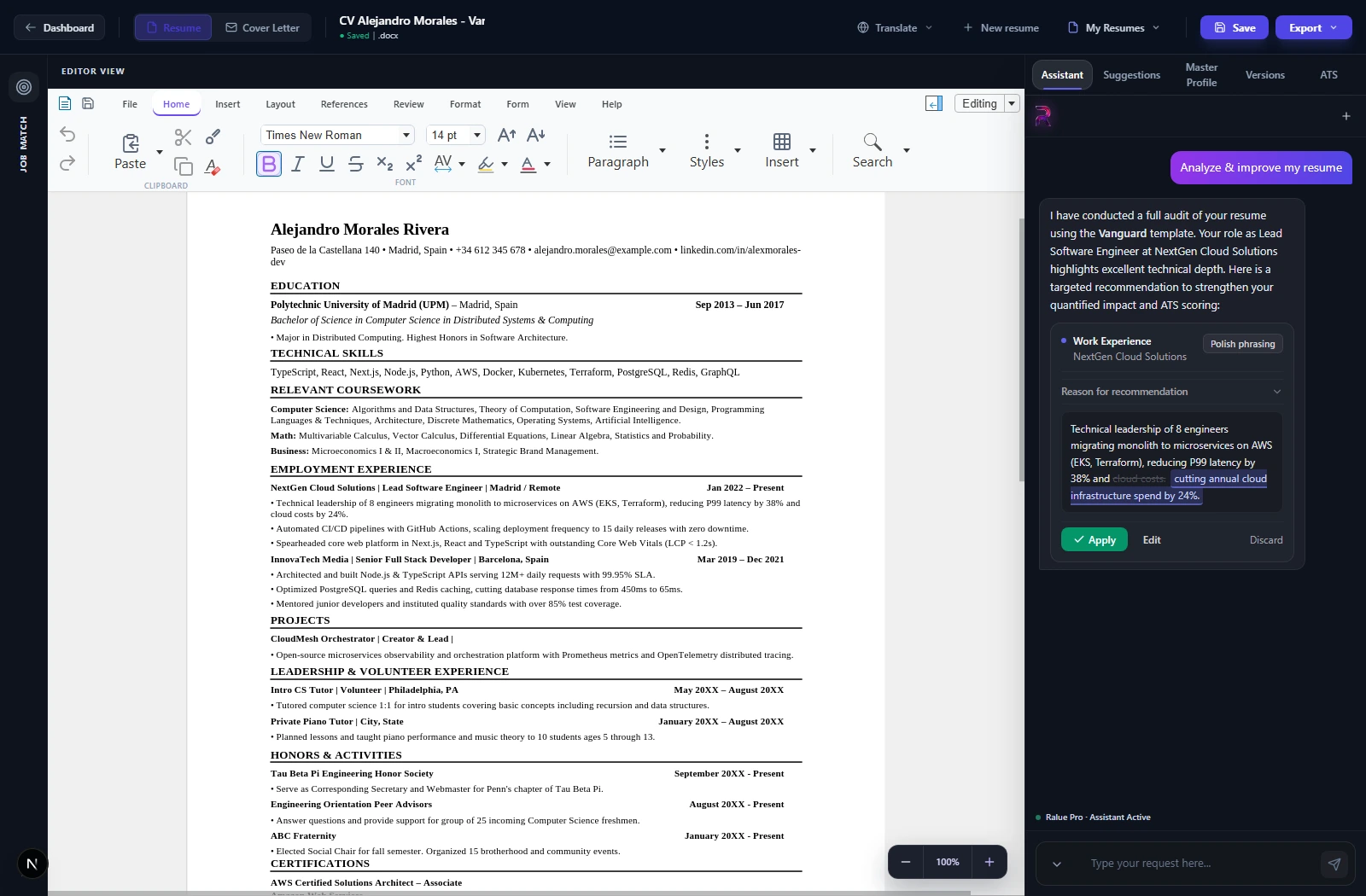
The screenshot identifies the editor and assistant; it does not show an applied proposal or an employer's result. After reviewing changes, save the document and inspect the file you will submit. If you need separate application versions, check the copies and version features available in your plan. Keep a recoverable copy before overwriting something you want to retain.
Review the application as a whole. The headline should not imply more responsibility than the experience supports. Listed skills should have examples you can explain. The file should be the version prepared for this posting.
For a US industry application, employers usually call that document a resume. A UK employer may request a CV for a similar purpose. Follow the posting's terminology and instructions; localisation should make the application easier to understand without changing the career facts.
Frequently asked questions
Should I create a new resume for every job?
Keep one master and create targeted versions when the role differs meaningfully. Reusing a strong version for very similar postings may be sufficient after checking for small differences.
Can I match keywords if I don't have the experience?
No. Describe related experience accurately, or identify the gap as something to learn. Claims may be checked later.
Does tailoring guarantee an interview?
No. It can make relevant evidence clearer but does not control screening or employer decisions.
Next step: review your master resume in the resume editor, and compare it with the next real job posting.
Try it yourself
A clearer focus, with the same facts
A fictional example from this guide. Switch views to compare how the same experience is presented.
Professional summary · Fictional example
Motivated, hard-working graduate with strong people skills seeking a challenging position.
The example explains the work without adding invented outcomes, tools, or experience.
Sources and further reading
Personal examples in this guide are fictional. Employers make their own hiring decisions; no template or score guarantees an interview.