The essentials
- Record recent responsibilities and projects, even if your job title is unchanged.
- Keep your full history and distinguish individual applications.
- Check dates, contact details, and the exported file before submitting.
An old resume can be accurate and still leave out the work you are now able to do. You may have taken on a reporting task, completed a project, or started coordinating with another team while your job title stayed the same. Updating the document means finding those changes and deciding which belong in your next application.
You do not need to rebuild every section at once. Work through the facts first, choose what is relevant to the target role, and check the exported file at the end. This guide uses Lucia, a fictional marketing coordinator, to show that process. The personal details and organizations in the case are demonstration data.
Start with the file you last submitted
Find the latest version you actually used, rather than whichever document happens to be called “final.” Open it and check the date, contact details, current role, and document format. Keep a copy before editing so you can compare the result.
If you cannot tell which version went with which application, make that distinction now. A recognizable filename and a short record of the role can prevent you from sending a version prepared for a different employer.
In Ralue, you can review the saved document and work from its current content. Document limits, duplication, and version features can depend on your account. Check the options available to you before assuming that creating several active resumes is part of your plan.
Collect changes that happened after the last update
Use a short inventory rather than trying to rewrite from memory. Check responsibilities, projects, tools, qualifications, and any work that has ended. A job title that stayed the same does not mean the content stayed the same.
Lucia's earlier resume mentioned social posts and Canva. Since that version, she has also coordinated the review schedule with designers and brought weekly campaign results together in Excel. Those tasks are relevant evidence for a coordinator role, even though they did not come with a promotion.
What changed | What to check | Where it might belong |
|---|---|---|
A new responsibility | What you did yourself and when it began | An experience bullet |
A completed project | Your contribution, tools, and outcome if known | Experience or Projects |
New training | Official title, provider, and completion date | Education or Certifications |
A role ended | Correct end date and wording | Employment history |
A new tool | What task you can actually perform with it | Skills and supporting experience |
Do not add every course or tool because it is recent. Record the full history first; selection comes next.
Update the facts before improving the wording
Check dates, employer names, contact details, links, and the status of current work. If a role ended in September, remove an old “Present” label. If a course is still in progress, do not describe it as completed.
Be careful with title translations. For an English-language application, you can clarify a title that an employer may not recognize, but the clarification should not imply a higher level of responsibility. The same applies to education: explain the qualification without inventing a US degree equivalence.
These checks are easier to do before rewriting the summary. Otherwise, a polished introduction can end up describing a timeline that the rest of the resume does not support.
Rewrite the summary around the work you can now demonstrate
An old summary may still describe you as a student or say only that you are looking for an opportunity. After gaining experience, it can explain your focus and the work that supports it.
Earlier draft for the fictional case: “Marketing graduate looking for an opportunity to develop professionally.”
Updated version: “Marketing professional with experience maintaining content calendars, coordinating design reviews, and preparing campaign reports in Excel.”
The update names activities that are present in Lucia's record. It does not call her a department head or add a sales improvement. If the target role emphasises a different part of her experience, she can adjust the emphasis while keeping those facts unchanged.
Add recent evidence to the relevant experience
Write the new activity beside the role in which it happened. Do not create another employer entry just because one responsibility changed. Review the existing bullets at the same time: a new line may replace a vague sentence instead of extending the section indefinitely.
For Lucia, “Supported the marketing team” can become a clearer description of the review process. The reporting task can have its own bullet if it adds distinct evidence. If both sentences say essentially the same thing, merge or shorten them.
Use the work experience guide to distinguish action, context, and outcome. A number belongs in the update when it is accurate and useful; it is not required for every responsibility.
Keep the complete history separate from an individual application
Your master profile can retain experiences and projects that you do not need in every resume. An application version should select the evidence that answers its posting.
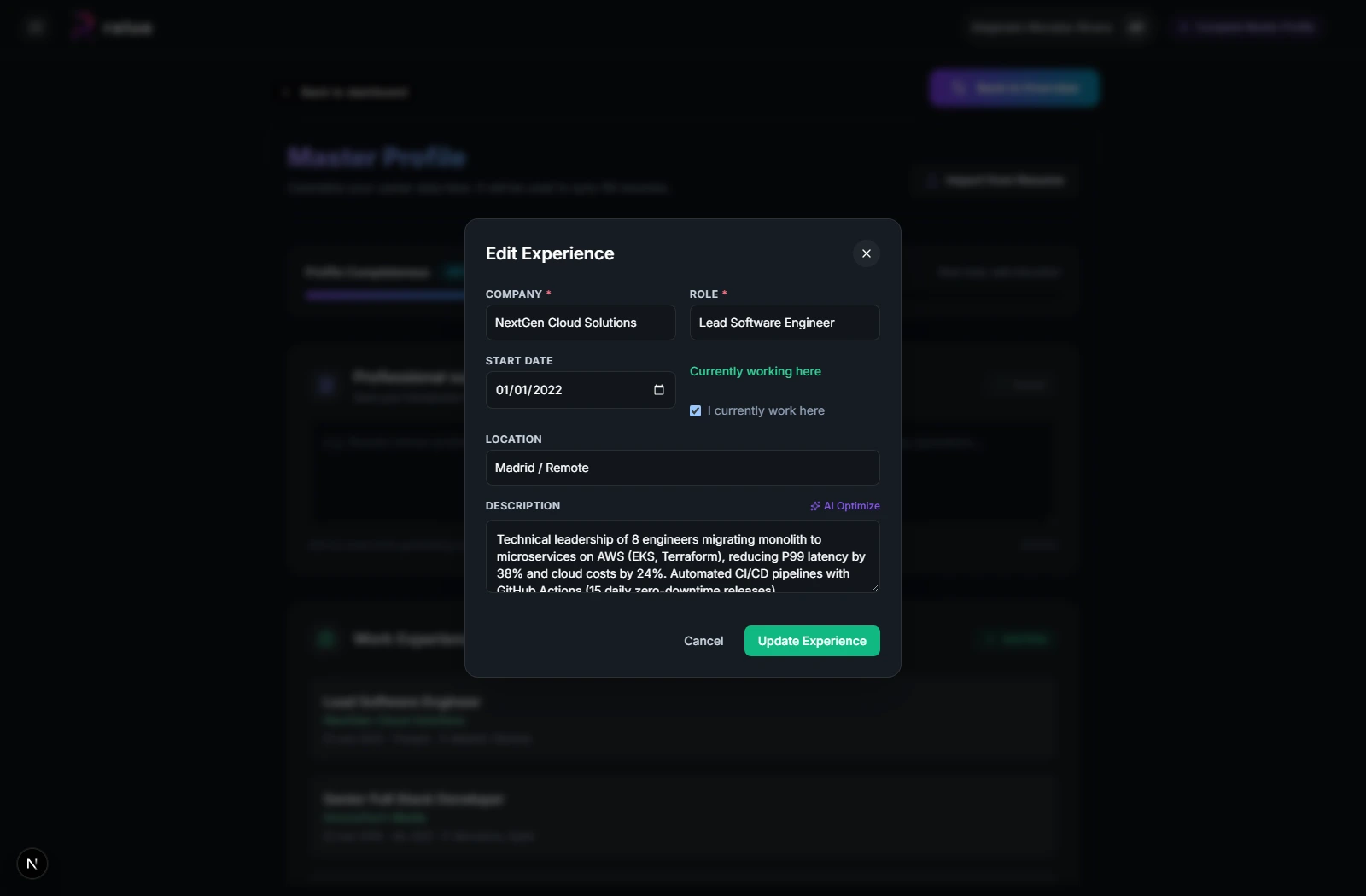
The demonstration shows the actual experience form. Updating this record and checking how the resume presents it are separate steps. Before submitting, read the document itself rather than assuming that a saved profile field has appeared in the right place.
You may decide to keep a shorter description of an older unrelated role and give more space to the recent relevant work. Preserve a complete record so that removing a paragraph from one application does not erase the underlying history.
Tailor the updated version to the next job
Once the facts are current, compare the posting with your evidence. Mark which requirements you can demonstrate, where that evidence appears, and which requirements remain gaps.
A posting that asks for Excel reporting gives Lucia a reason to bring that task forward. It does not give her a reason to add SQL or another platform she has not used. If a mandatory location or credential requirement is not met, more relevant wording cannot resolve it.
The tailoring guide walks through that comparison. Use it to decide the order and emphasis of the update instead of treating keywords as a second skills list.
Save and review the file you will send
Check that the new material has not separated a job title from its dates or left a heading alone at the bottom of a page. Open the exported file, review the contact details, and test the links that matter to the application.
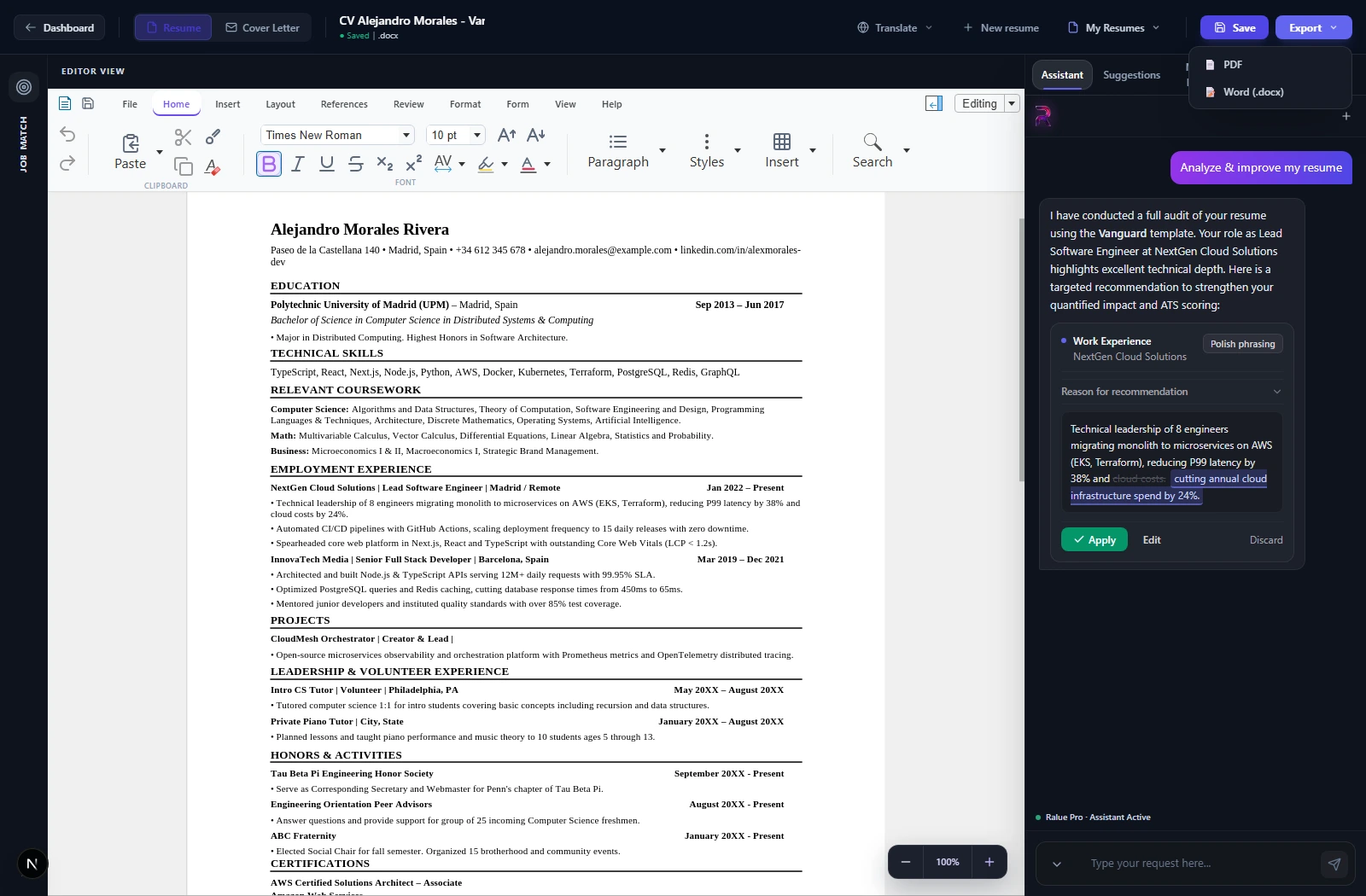
The screenshot shows the available export controls. Seeing the menu is not proof of a successful download or of the contents of a downloaded file. Save the document, use the required format, and check the actual file. See PDF versus Word if you are deciding between accepted formats.
When a portal autofills employment history, review the fields before submitting. A new responsibility that reads well on the page does not excuse an incorrect date in the form.
Questions about updating an existing resume
Should I rewrite everything for every application?
Usually the factual record can stay stable while the selection and emphasis change. Start with the relevant sections and revise a sentence only when the change adds clarity or useful evidence. There is no benefit in replacing strong accurate wording purely to make the file look new.
What if I have no promotion or measured result to add?
New responsibilities, projects, procedures, and tools can still matter. Describe what you did and how it supported the work. Do not create a promotion or an estimated result to make the update seem more substantial.
How often should I update the base document?
Use meaningful changes as prompts: a project ending, a role changing, training being completed, or preparation for an application. A brief factual update while the work is fresh is easier than reconstructing several years later.
Is a UK CV updated differently from a US resume?
The factual review is similar, but employer terminology and application conventions vary. UK employers often call the industry application document a CV; US employers commonly request a resume. Follow the posting and distinguish an academic CV from a resume rather than treating every English-language document as the same format.
Sources and further reading
Personal examples in this guide are fictional. Employers make their own hiring decisions; no template or score guarantees an interview.